How to Use Never Dumb in Pomodorian
A screen-by-screen guide to Pomodorian's Never Dumb break feature: when it opens, the hub, the three paths, and all 14 exercises.
Pomodorian is a free, AI-powered Pomodoro timer. No account required.
Try the timer→Never Dumb is the break feature built into Pomodorian: a set of 14 short exercises that open during your long breaks so a few minutes belong to your own thinking instead of a feed. It opens on a single hub where you start any exercise in one click, and it runs entirely on your device. I built Never Dumb because I wanted my own breaks to be a moment of taking back control of my attention, not another five minutes of doomscrolling. If you want the reasoning and the research behind that choice, read why active breaks beat doomscrolling and what cognitive debt is. This guide is the practical one: what you'll actually see, screen by screen, and how to get the most out of it.
When Never Dumb Appears
Never Dumb is tied to your long break, not every break. By default, Pomodorian gives you a long break after every 4th pomodoro (the interval is adjustable in Settings), and that's the only moment Never Dumb becomes eligible to open on its own. If you're new to the app itself, start with How to Use Pomodorian: The Complete Guide.
Two things decide what happens next. If the "Auto-open Never Dumb on long breaks" toggle in Settings is on, which it is by default, Never Dumb opens automatically the moment that long break starts running. If you switch modes by hand instead, say you jump straight to a long break from the mode selector without finishing your 4th pomodoro, the automatic pop-up won't fire. Manually changing modes resets the eligibility.
That second point doesn't lock you out, though. Any time the timer is in a running long break, whether you got there naturally or by switching modes yourself, a "Run Never Dumb" button appears under the timer controls. Click it and Never Dumb opens on demand. That includes right after you've closed it: the button comes back, and you can reopen it as many times as the break allows.
If you'd rather never see it pop up unprompted, turn the Settings toggle off and rely on the button instead.
Step by Step
1. The hub
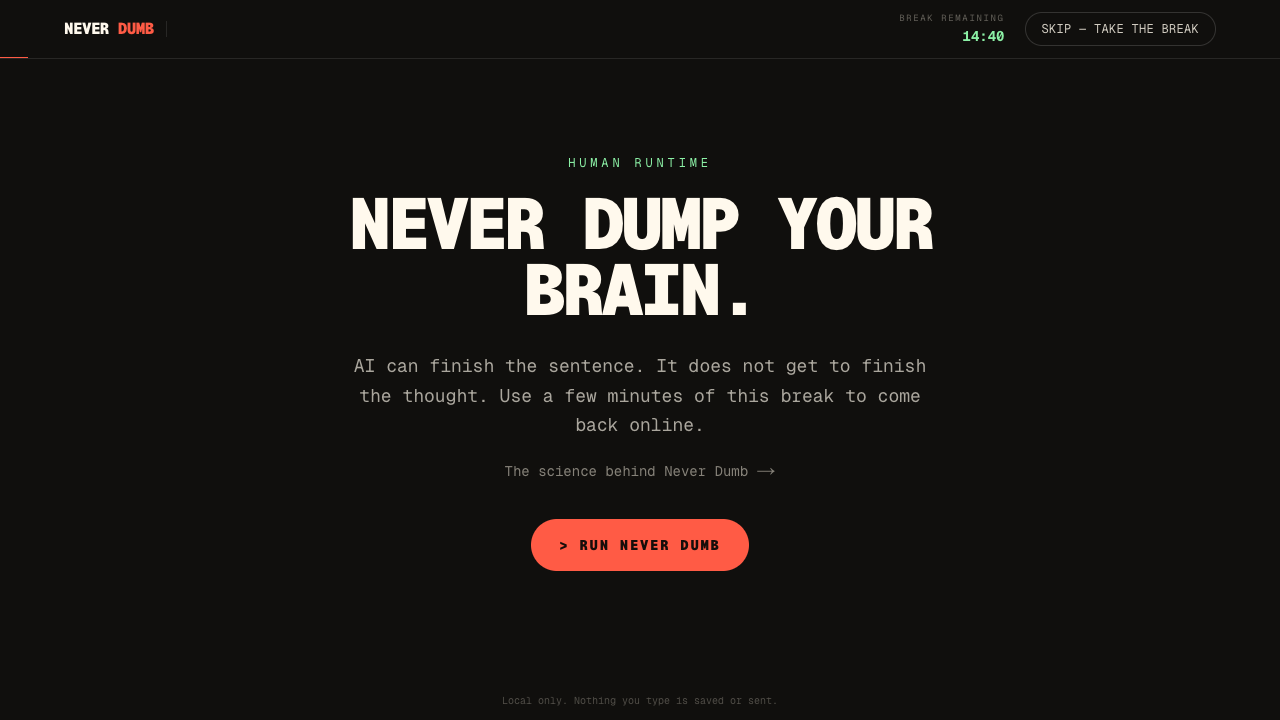
Never Dumb opens directly on its hub. There is no intro screen to click through any more. From top to bottom you get:
- The headline, "This break is yours.", with one line on the philosophy.
- A suggestion, one exercise picked for you. It rotates the path after the one you used last time, prefers Debrief when you have fresh focus blocks to close, and only suggests something that fits in the break you have left.
- Three stat tiles: breaks reclaimed, day streak, and exercises done today. They're counted on your device only.
- The three paths side by side: Serious, Fun and Reset, each with its exercises and a duration in minutes. An exercise longer than the break you have left is dimmed, but you can still start it.
- "Surprise me" at the bottom, which starts a random exercise that fits your remaining time, plus a link to the science article.
The header stays visible on every screen: the "Break left" countdown with a small ring, and a "Skip, just rest" button (a cross on mobile) that closes Never Dumb and gives you a normal break. Escape does the same.
2. Pick a path
The real decision is which column to start from:
- Pick Serious if you just came out of a focus block where an AI tool did a lot of the thinking (pairing on code, drafting a doc, debugging with a copilot) and you want to rebuild the reasoning yourself before it slips away.
- Pick Fun when you need to move and laugh more than you need to think. It trades depth for physical, slightly absurd movement.
- Pick Reset when you're saturated and a puzzle would just add more load. It's the path that asks the least of your attention.
3. Do the exercise
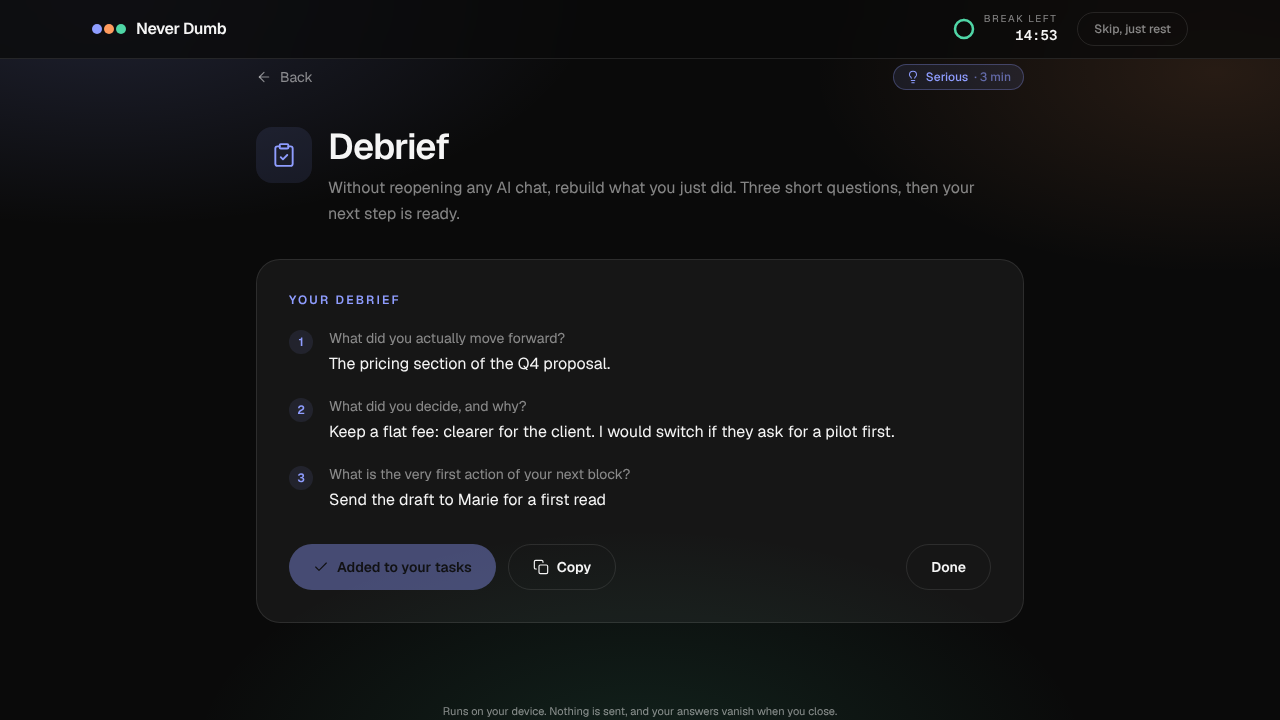
Every exercise screen has the same frame: a Back button, a colored chip with the path and duration, the title, and a one-line instruction. Then comes the exercise itself.
Take Debrief, the first Serious exercise. Step one shows the tasks behind your latest focus blocks as chips you can tap, so you don't start from a blank page. Then three questions come one at a time, with a progress bar: what did you actually move forward, what did you decide and why, and what is the very first action of your next block. Ctrl+Enter (Cmd+Enter on a Mac) moves to the next question. The summary at the end shows your three answers with two buttons: "Add to my tasks", which puts your next step in the task list, and "Copy", which sends the whole debrief to your clipboard.
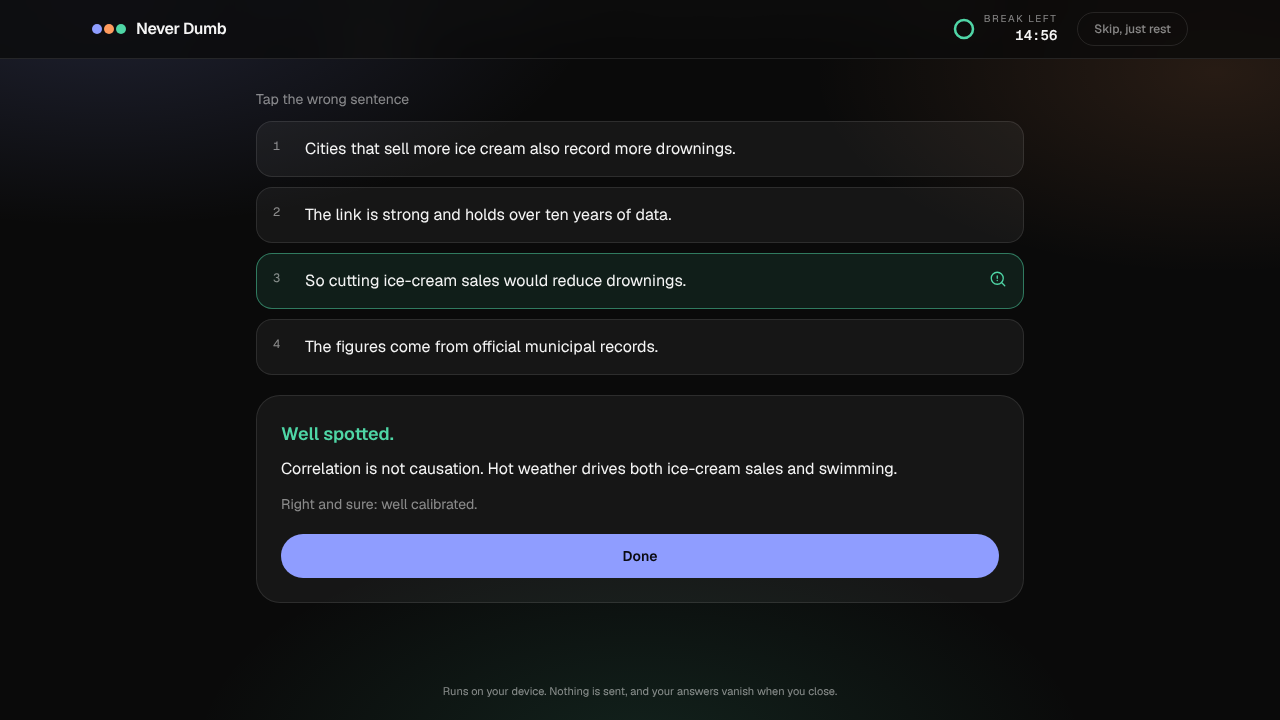
Spot the Flaw works differently: you tap the sentence you think is wrong, choose how sure you are (Guessing, Fairly sure, Certain), then press Check. The flawed sentence lights up, your pick is marked if it was wrong, and you get the explanation plus a calibration line.
4. The result screen
When you finish, a result screen sums it up: one line on what you just did, any personal feedback from the exercise (your calibration, your Room Raid score, whether the Body Debugger "hacked" you), and your updated count and streak. From there, "Back to my break" closes Never Dumb, and "One more" takes you back to the hub. After a Fun game, the second button becomes "Another surprise" and starts a different game straight away.
Throughout all of this, the break timer keeps running underneath. Never Dumb doesn't pause it or add to it, it just gives the existing minutes something to do.
The 14 Exercises at a Glance
| Path | Exercise | Duration/Format | What it trains |
|---|---|---|---|
| Serious | Debrief | ~3 min, 3 guided questions | Rebuilding your last blocks and writing your next step yourself |
| Serious | Spot the Flaw | ~2 min, 6 rotating puzzles | Checking a confident answer's logic, and your own confidence |
| Serious | Compress | ~3 min, 25 words max, 3 rotating notes | Keeping the constraint and the open question, not the smooth prose |
| Serious | Estimate | ~2 min, 6 rotating questions | Mental math and giving honest 90% ranges |
| Fun | Human CAPTCHA | ~1 min, 10 missions with reroll | Doing something a model can describe but not enjoy |
| Fun | Room Raid | ~2 min, 3 items out of 12 | Moving, noticing, and recalling without looking twice |
| Fun | Body Debugger | ~1 min, 6 timed commands | Movement plus inhibition, resisting the "AI SAYS" trap |
| Fun | Rubber Duck Boss | ~2 min, 3 questions out of 6 | Explaining out loud before asking a machine to |
| Reset | Breathing 5-5 | 3 min | Downshifting pace with paced breathing |
| Reset | Open Meditation | 3 min | Noticing without fixing, no performance target |
| Reset | Body Scan | 3 min, 9 body areas | Returning attention to the body |
| Reset | Five-minute Walk | 5 min | Changing the scene, screen-free |
| Reset | One-track Reset | 3 min | Listening to lofi with nothing else going on |
| Reset | Invisible Ping Pong | 60 sec | Crossing the midline, a quick proof of movement |
Rotating means the content changes from one break to the next. Spot the Flaw, Compress and Estimate go through their pools in order, so you won't see the same puzzle twice in a row. The Fun games shuffle their missions, items, commands and questions every time you start them.
Tips
- Match the path to your state, not your mood. If you just closed a long AI pairing session, Serious does more for you than Fun, even if Fun sounds more appealing in the moment.
- Use Debrief at the end of a long cycle. Four pomodoros on the same project is exactly when a written next step pays off: you come back from the break knowing what to do first.
- Be honest on the confidence buttons. The calibration line only teaches you something if "Certain" really means certain. Being wrong while guessing is fine. Being wrong while certain is the habit to catch.
- Save Reset for saturated days. If the idea of one more decision, even a fake one, makes you tired, go straight to the Reset column. It's designed to ask nothing back.
- Use the manual button when you want it on your terms. If you'd rather choose your moment, turn the Settings toggle off and click "Run Never Dumb" only on the breaks where you actually want it.
Key Takeaways
- Never Dumb only opens during long breaks, the ones that follow every 4th pomodoro by default, adjustable in Settings.
- Auto-open is on by default via the "Auto-open Never Dumb on long breaks" toggle; a manual "Run Never Dumb" button also appears during any running long break.
- It opens on a single hub: a suggestion that fits your remaining break, local stats, and the 14 exercises in three columns, each one click away.
- Debrief is the most practical exercise: it starts from your recent tasks and can add your next step to the task list.
- Everything runs locally. Answers vanish on close, and the break timer keeps running underneath.
Frequently Asked Questions
Can I open Never Dumb manually?
Yes, within a long break. A "Run Never Dumb" button appears any time the timer is in a running long break, whether you got there naturally or by switching modes yourself, and it reappears after you close Never Dumb. What you can't do yet is open it during a pomodoro or a short break, it's built around the long break specifically.
Does Never Dumb save or send anything I type?
No. The footer on every screen says it directly: it runs on your device, nothing is sent, and your answers vanish when you close. Pomodorian keeps only a local count of completed exercises and your streak, plus the position in each puzzle pool. The one thing that stays is a Debrief next step, and only if you click "Add to my tasks".
Where do the tasks in Debrief come from?
From your own focus history. Debrief lists up to four task titles linked to your most recent completed pomodoros, read from the same local data as your analytics. If you haven't linked tasks to your pomodoros, the questions still work, you just start without the chips.
What happens to my break timer while I'm doing an exercise?
It keeps running. The "Break left" countdown in the header is the same clock as your actual break, so Never Dumb doesn't extend your break or eat into your next pomodoro. Exercises longer than the time you have left are dimmed on the hub as a heads-up.
How do I turn off the automatic pop-up?
Open Settings and switch off "Auto-open Never Dumb on long breaks." It's on by default. Turning it off doesn't remove the feature: the "Run Never Dumb" button still shows up during long breaks whenever you want to open it yourself.
Ready to focus smarter?
Try Pomodorian, the AI-powered Pomodoro timer. Free, no account required.
Start Focusing